
Available now
Tessera POS
Wines & Spirits point of sale
A fast till with barcode scanning, M-Pesa, cash and card payments, VAT-inclusive totals, cashier shifts and stock that updates with every sale.
- M-Pesa payments
- Stock control
- Cashier shifts
Business software · Nairobi, Kenya
POS, stock and management systems for Kenyan businesses. We set up, train your team and support you after go-live.
Our projects
Available now
Wines & Spirits point of sale
A fast till with barcode scanning, M-Pesa, cash and card payments, VAT-inclusive totals, cashier shifts and stock that updates with every sale.
Available now
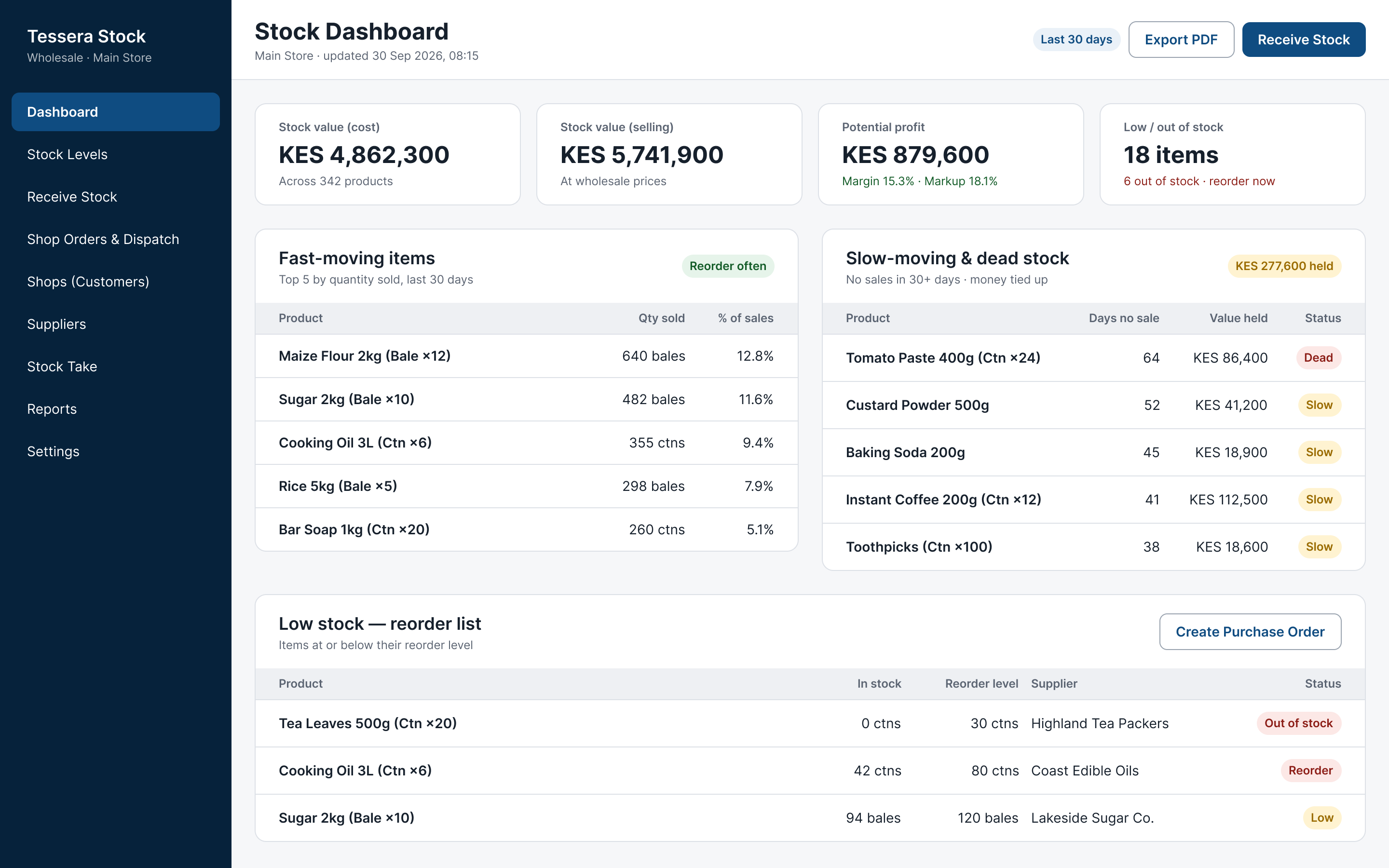
Wholesale stock management
Receive goods in bales and cartons, track live stock and reorder levels, and see profit, margins and fast and slow movers at a glance.
See it work
Follow a single sale through Tessera POS. These are real screens from the system, with demo data.
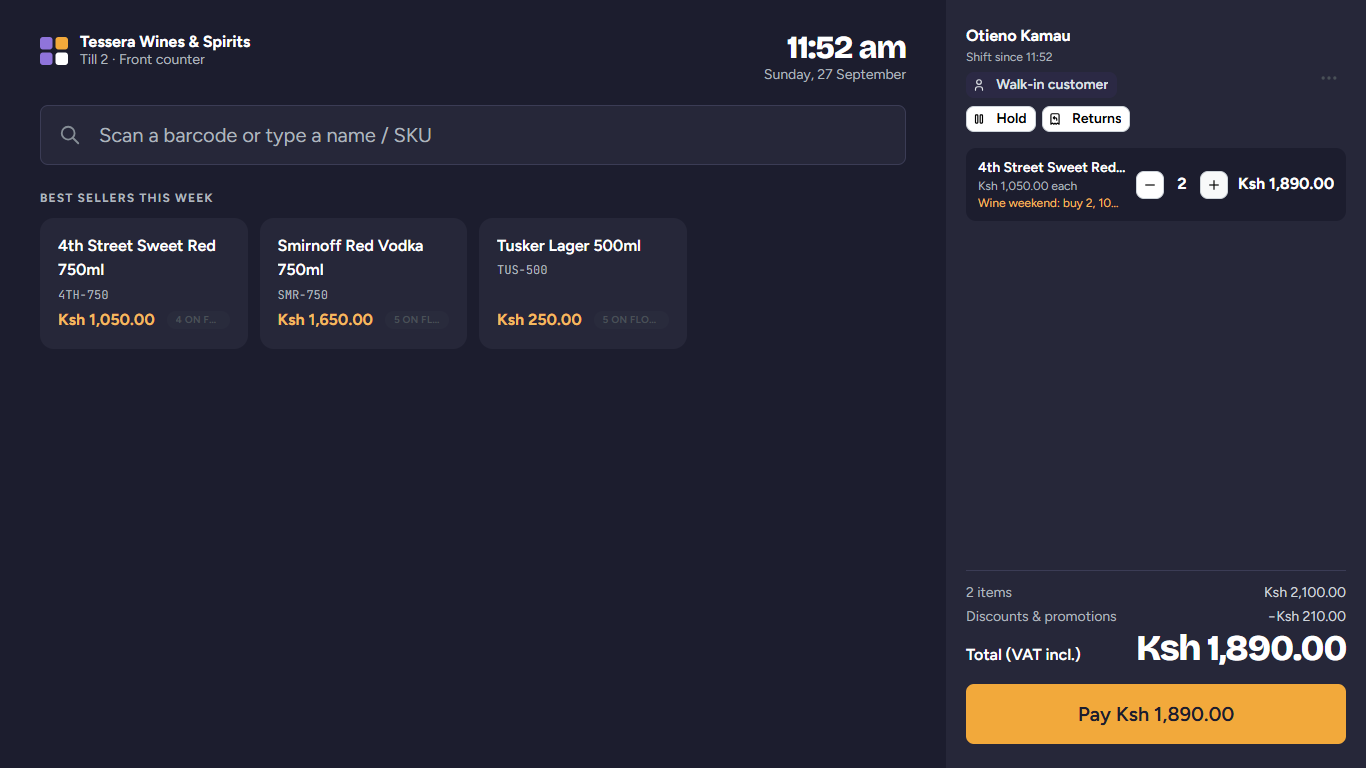
Scan a barcode or tap a best seller. Promotions and VAT are worked out for the cashier.
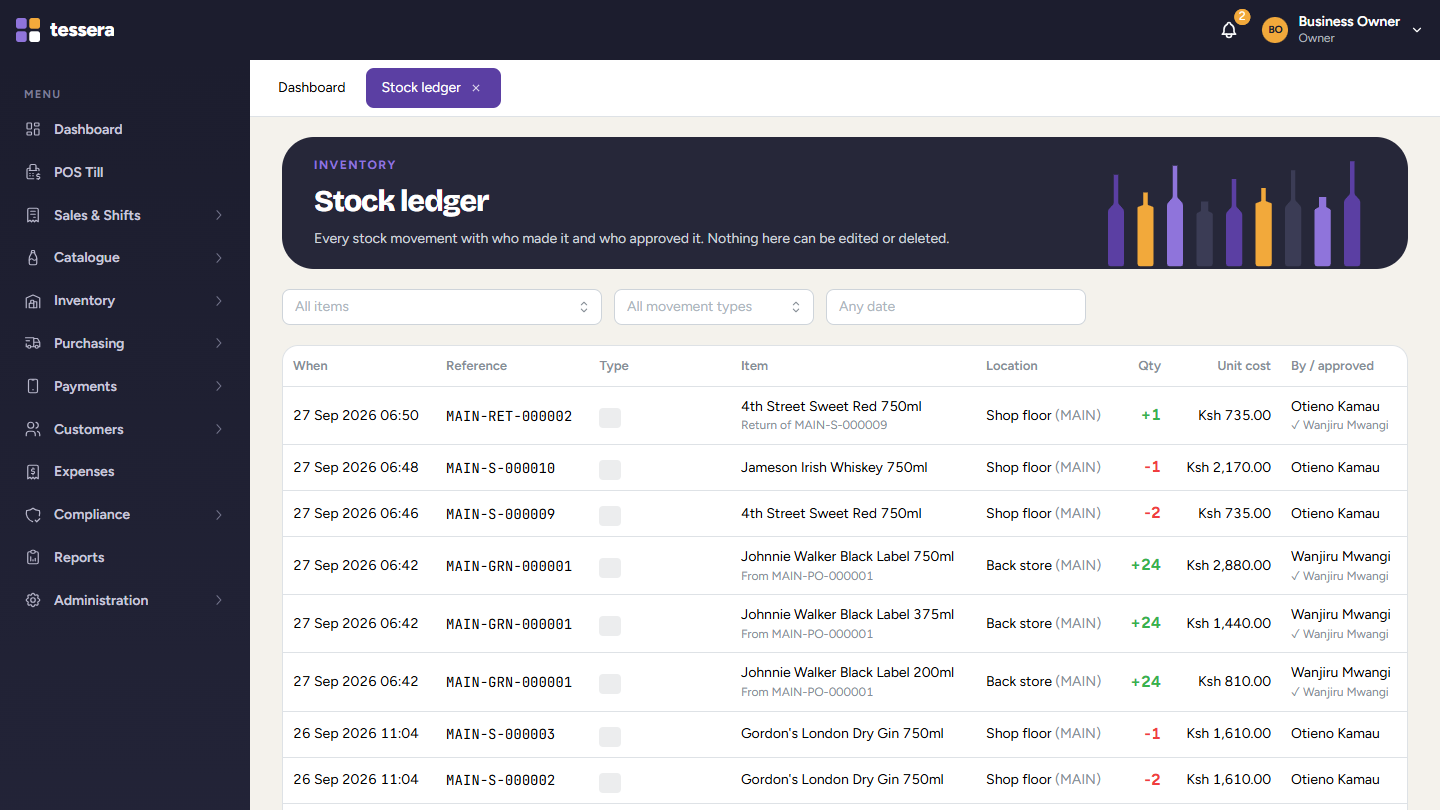
Every bottle sold comes off stock straight away, with who sold it and when. Nothing can be edited or deleted.
Tessera warns you when fast movers reach their reorder level, so you restock before you run out.

The cashier sends the payment request to the customer's phone. The sale only closes when M-Pesa confirms.
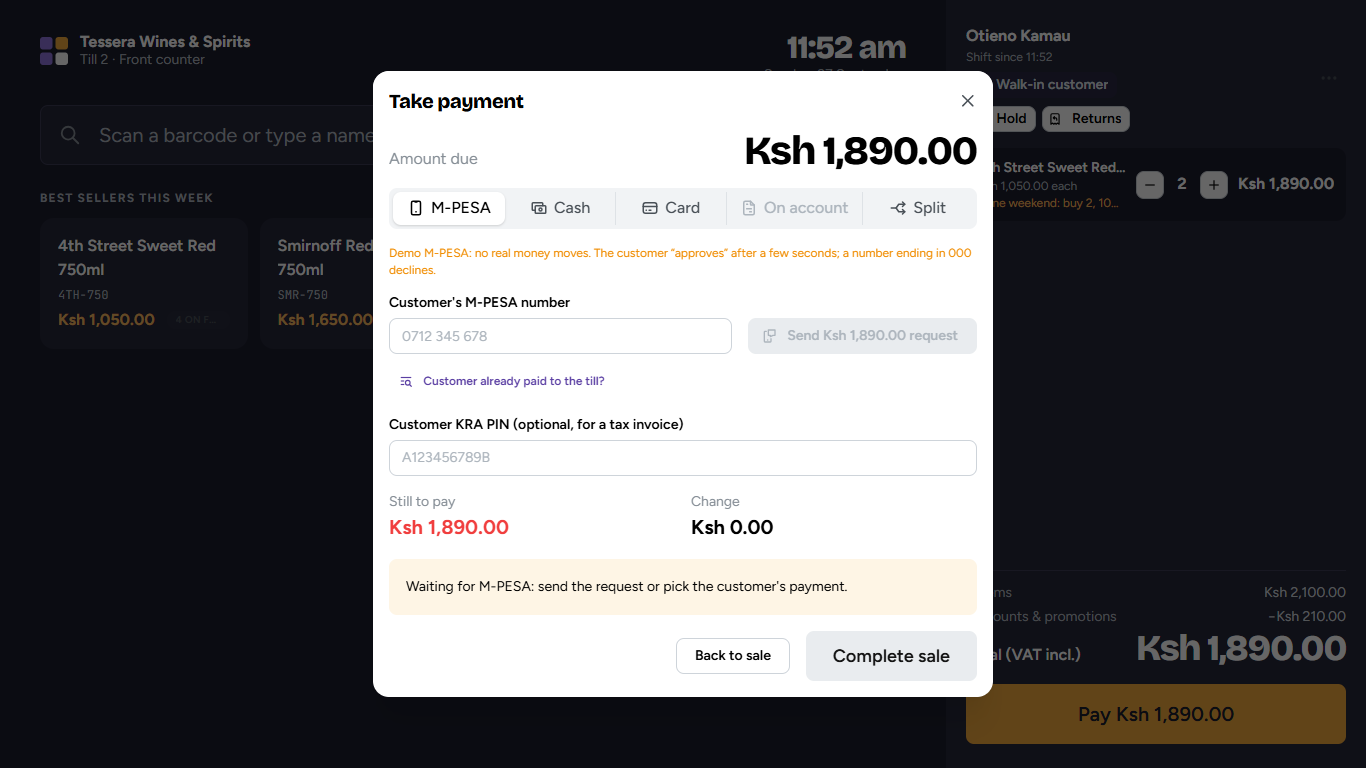
M-Pesa built in
From book to system
Drag the slider to compare a handwritten stock book with the same stock in Tessera, counted live with every sale.
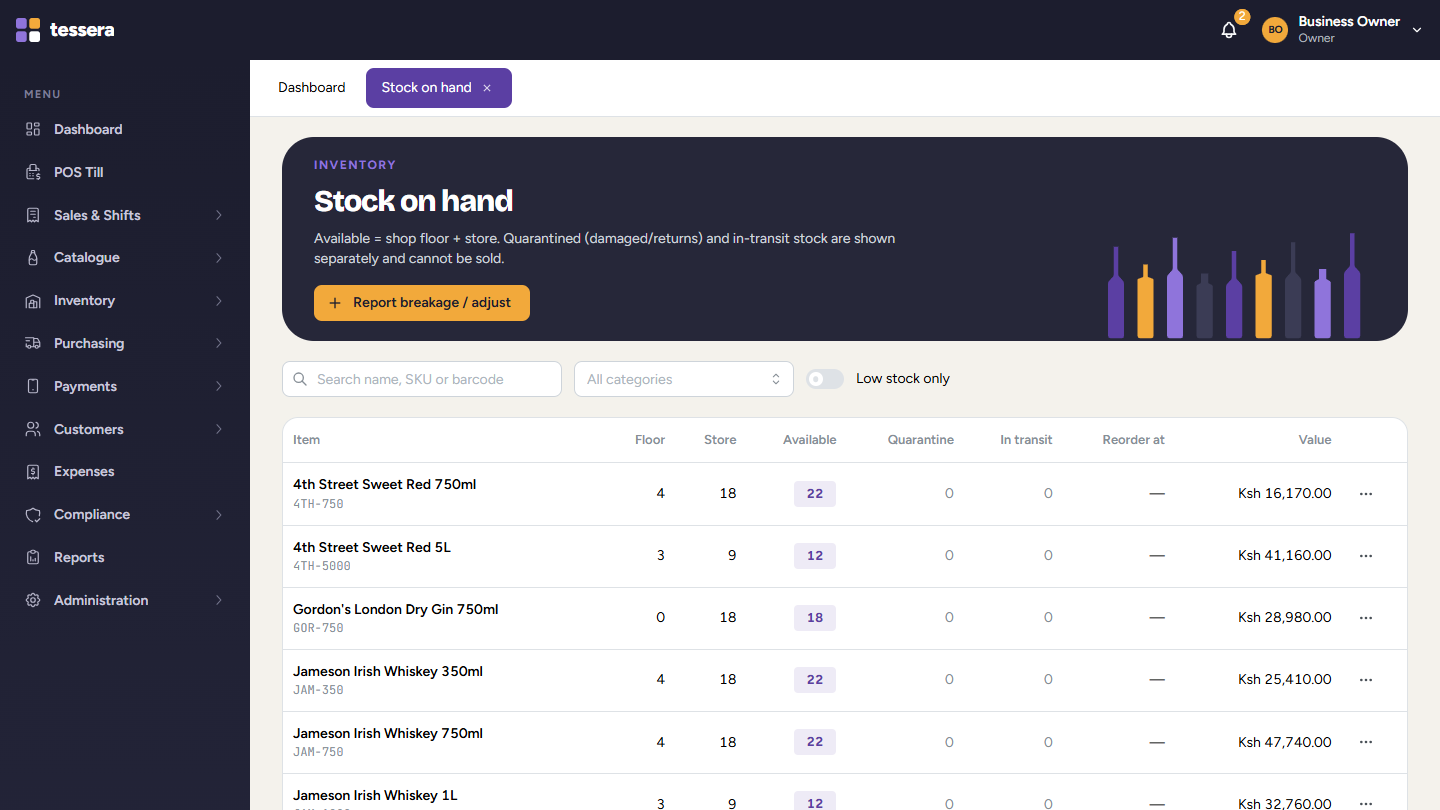
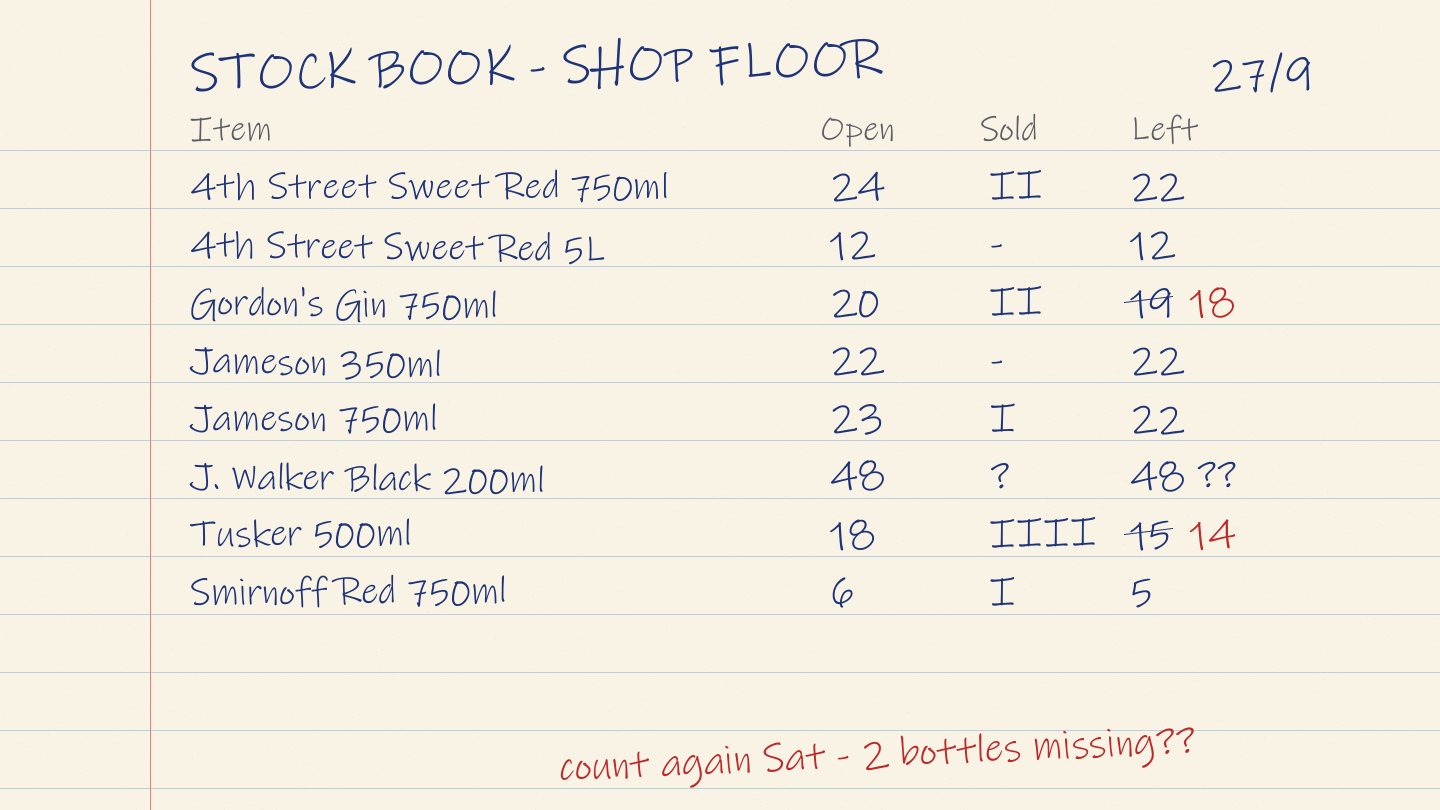
Try it yourself
Tap products to add them, change quantities and take a simulated M-Pesa payment. Prices include 16% VAT, worked out as you go.
Till 1 · Demo shop
Sample products and prices
Tap a product to start a sale.
Simulation only. No money moves and nothing is sent to a phone.
In Tessera POS the sale is now closed, stock has dropped and the payment is matched. No codes to type in.
Which system fits me?
Answer four quick questions. We will suggest a system and you can ask us about it on WhatsApp.
Question 1 of 4
Available now
Wines & Spirits point of sale
A fast till with barcode scanning, M-Pesa, cash and card payments, VAT-inclusive totals, cashier shifts and stock that updates with every sale.
Book a demo on WhatsAppAvailable now
Wholesale stock management
Receive goods in bales and cartons, track live stock and reorder levels, and see profit, margins and fast and slow movers at a glance.
Book a demo on WhatsAppComing soon
Member contributions, loans, repayments and statements, with M-Pesa.
Notify me on WhatsAppComing soon
Tenants, rent invoices, M-Pesa rent collection and arrears tracking.
Notify me on WhatsAppComing soon
Admissions, fees and M-Pesa fee payments, results and parent updates.
Notify me on WhatsAppComing soon
Orders, tables, kitchen tickets, rooms and billing.
Notify me on WhatsAppEvery Tessera system shares the same core: sales, stock, M-Pesa and reports. Tell us how your business works and we will show you what fits.
Talk to us on WhatsAppComing soon
Member contributions, loans, repayments and statements, with M-Pesa.
Notify me when Chama & SACCO launchesTenants, rent invoices, M-Pesa rent collection and arrears tracking.
Notify me when Property & Rentals launchesAdmissions, fees and M-Pesa fee payments, results and parent updates.
Notify me when School Management launchesStaff records, leave, payroll and statutory deductions.
Notify me when HR & Payroll launchesOrders, tables, kitchen tickets, rooms and billing.
Notify me when Hotel & Restaurant launchesSell online with M-Pesa checkout, synced with your shop stock.
Notify me when Online Store launchesLeads, follow-ups, quotations and customer history in one place.
Notify me when CRM & Sales launchesA workflow-driven lab system for AfriTox Mobile Lab: every testing request tracked from portal request to a signed, QR-verifiable report.
Notify me when AfriTox LIMS launchesInside Tessera POS
Questions
Something else on your mind? Ask us on WhatsApp.
Ask a questionYes. The till sends an M-Pesa payment request to the customer's phone and shows the payment as soon as it is confirmed. Payments made straight to your Paybill or Till number can be matched to sales as well.
Tessera POS keeps selling. Sales made offline get a provisional receipt number and are sent to the server when the connection returns. M-Pesa payments and manager approvals wait for the connection.
Yes. Every Tessera system works on computers, tablets and phones.
Each staff member has a role, such as cashier, branch manager or owner, and only sees what that role allows. Owners and admins sign in with two-step login, and important actions are recorded in an audit log that cannot be edited.
Yes. Training is part of every setup, and we support you by phone and WhatsApp after go-live.
It depends on how many tills and branches you have and what needs setting up. Send us a message on WhatsApp and we will give you a quotation.
Yes. Every Tessera product shares the same core and is adapted to how your industry works. Tell us what you need and we will tell you what fits.
Book a demo, ask for a quotation or get support. Send us a photo of how you record sales and stock today, in a book or on Excel, and we will show you how Tessera can help.